
Download Netopi – Free Browser Extension for Site Reviews
Overview
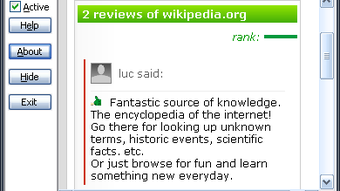
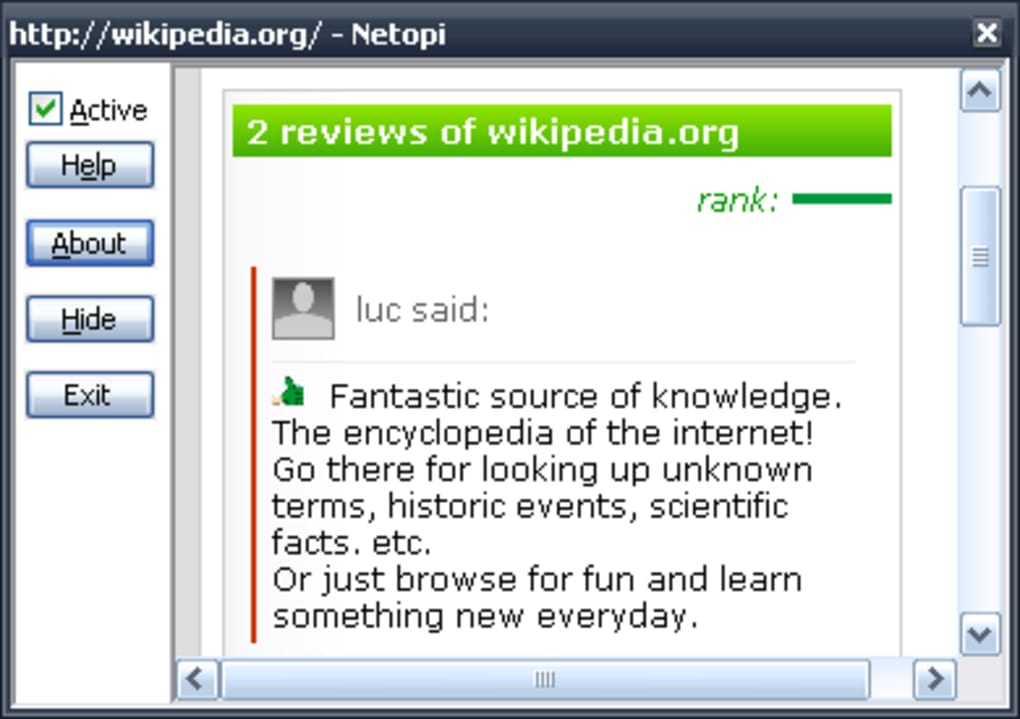
Netopi is a lightweight browser extension for Firefox and Internet Explorer that brings a new layer of community‑driven feedback to every web page you visit. By allowing users to write short reviews or ratings directly from the toolbar, Netopi builds a growing database of opinions that anyone can browse in real time. When you open the extension on a page, it instantly checks the Netopi server for existing reviews, displaying them in a compact overlay so you can gauge the general sentiment before you dive deeper.
The concept is simple yet powerful: empower internet users to flag misleading content, applaud useful resources, and share honest impressions, turning the web into a more democratic space. Although still in its early stages, Netopi already demonstrates how crowd‑sourced commentary can improve browsing safety and discovery. The extension is free, open‑source, and designed with privacy in mind – reviews are posted anonymously unless you choose to attach a nickname, and no personal browsing data is stored beyond the site URL and your comment.
As the community expands, Netopi aims to support multilingual reviews, richer rating systems, and tighter integration with modern browsers like Chrome and Edge. For now, it offers a solid foundation for users who want to add a voice to the pages they love (or loathe) and see what others have to say.
Key Features of Netopi
- One‑click site reviews: Write a quick comment or rating without leaving the page.
- Real‑time review feed: See existing opinions instantly when you open the extension.
- Cross‑browser support: Available for Firefox and Internet Explorer, with plans for Chrome and Edge.
- Anonymous posting option: Protect your identity while contributing valuable feedback.
- Language expansion roadmap: Future support for multilingual reviews to serve a global audience.
- Toggleable performance mode: Disable the overlay to prevent any slowdown on slower connections.
- Secure data handling: Only site URLs and review text are transmitted; no personal browsing history is stored.
- Open‑source foundation: Community‑driven development ensures transparency and continuous improvement.
These features combine to make Netopi a compelling tool for anyone who wants to add context to the web. The real‑time overlay is especially handy for research, allowing you to quickly see whether a site has been flagged for misinformation or praised for quality content. The anonymous posting option encourages honest feedback without fear of retaliation, while the toggleable performance mode gives you control over resource usage.
Although the current review database is modest, each new user adds value, gradually building a richer ecosystem of site evaluations. Netopi’s roadmap includes a more polished graphical user interface (GUI), richer rating scales (e.g., stars, thumbs up/down), and integration with social media platforms so users can share reviews beyond the extension itself. This forward‑looking approach ensures that the extension will evolve alongside the needs of its community, making it a future‑proof addition to your browsing toolkit.
Installation & Usage Instructions
Step‑by‑step installation
- Visit the official Netopi download page or the Firefox Add‑ons Marketplace.
- Click the “Add to Firefox” (or “Add to Internet Explorer”) button. A permission dialog will appear.
- Review the requested permissions – Netopi only needs access to read and write data on the sites you visit.
- Confirm the installation. The extension icon will appear in your browser toolbar within seconds.
- Restart your browser if prompted to ensure the extension loads correctly.
How to write and read reviews
Once Netopi is installed, using it is intuitive:
- Open a website: Navigate to any page you wish to evaluate.
- Click the Netopi icon: A small panel slides down, showing existing reviews (if any).
- Read the feed: Each review displays the rating, a brief comment, and the language of the entry.
- Add your own review: Click the “Write Review” button, type your comment (up to 250 characters), choose a rating (1‑5 stars), and optionally add a nickname.
- Submit: Press “Post” and your feedback will be uploaded to the Netopi server instantly.
- Toggle mode: Use the gear icon in the panel to switch between “Live” (auto‑fetch reviews) and “Quiet” (no background requests) modes.
All reviews are moderated automatically for spam and profanity, ensuring a clean experience for everyone. If you encounter a page with no reviews, you become the pioneer by adding the first comment – a small act that helps grow the community. For power users, Netopi also offers a “Export” feature that lets you download all reviews for a specific domain as a CSV file, useful for research or archiving. Remember to keep the extension updated; Netopi releases regular patches to improve speed, fix bugs, and add new language support.
Compatibility & System Requirements
Supported browsers: Netopi currently works with Firefox (version 78 and later) and Internet Explorer 11. The development team is actively testing compatibility with Microsoft Edge (Chromium) and Google Chrome, with beta builds expected later in the year.
Operating systems: Since the extension runs inside the browser, it is compatible with Windows 7/8/10/11, macOS 10.13+ and most Linux distributions that support the latest Firefox releases. Mobile browsers are not supported at this time, but a companion Android/iOS app is under consideration for future releases.
Netopi’s footprint is modest – the extension package is roughly 1.2 MB, and memory usage stays under 30 MB during normal browsing. However, because the tool queries the Netopi server for reviews each time you open the panel, a stable internet connection is recommended. Users on slower connections may want to keep the “Quiet” mode enabled by default and switch to “Live” only when they need fresh feedback. The extension also respects your browser’s privacy settings; if you block third‑party cookies, Netopi will still function but will rely on session‑based tokens instead of persistent cookies.
Overall, Netopi is designed to be lightweight and unobtrusive, fitting comfortably into the workflow of power users, casual browsers, and accessibility‑focused individuals alike. The developers have prioritized a minimal UI that scales well on high‑resolution monitors and supports screen readers, ensuring that the tool remains inclusive across a wide range of devices and user abilities.
Pros and Cons
Advantages
- Free and open‑source, with no hidden fees.
- Encourages community‑driven quality control for websites.
- Simple one‑click interface that integrates seamlessly into the toolbar.
- Anonymous posting option protects user privacy.
- Toggleable performance mode prevents slowdown on slower connections.
- Future‑ready roadmap includes multilingual support and richer rating systems.
Drawbacks
- Limited review database in the early stage; many sites have no feedback yet.
- Currently only compatible with Firefox and Internet Explorer; Chrome/Edge support pending.
- Potential minor latency when fetching reviews on very slow networks.
- GUI still basic; users may desire a more polished look and additional customization.
- No mobile browser extension available at this time.
While Netopi shines as a concept and a functional tool, its real power will be unlocked as the community grows. Early adopters will enjoy shaping the platform, but should be aware that the current ecosystem is modest. The developers are transparent about the roadmap, promising enhancements that will address many of the present limitations. For anyone who values a democratic internet and wants to contribute to a collective knowledge base, Netopi offers a solid starting point.
Frequently Asked Questions
Is Netopi completely free to use?
Yes, Netopi is offered as a free download with no hidden subscription fees. All core features, including writing and reading reviews, are available at no cost.
Can I use Netopi on Chrome or Edge?
Currently Netopi supports Firefox and Internet Explorer. The development team is working on Chrome and Edge compatibility, with beta releases expected later this year.
Will Netopi track my browsing history?
No. Netopi only sends the URL of the page you are reviewing and the review text you submit. It does not store or transmit any additional browsing data.
How can I disable Netopi if it slows down my browser?
You can toggle Netopi to “Quiet” mode via the gear icon in the extension panel, or you can disable the extension entirely from your browser’s add‑on manager.
Will Netopi support reviews in languages other than English?
Yes. The developers have announced a roadmap to add multilingual support, allowing users to post and read reviews in their native languages.
Final Verdict & Call to Action
Overall Rating: 4/5
Netopi delivers a fresh, community‑driven approach to web browsing by letting users share concise reviews of any site they visit. Its lightweight design, privacy‑first philosophy, and straightforward UI make it an excellent addition for users who want to add a layer of crowd‑sourced insight to their daily browsing. While the current review database is still growing and the extension is limited to Firefox and Internet Explorer, the roadmap promises broader browser support, richer rating mechanisms, and multilingual capabilities. If you’re interested in helping shape a more democratic internet and don’t mind being an early adopter, Netopi is worth a try. Simply click the download button below, install the extension, and start contributing your voice to the web today.
Download Netopi now – it's free, secure, and ready to enhance your browsing experience!







